Marquee

Chris' School Blog!

Clock

relojes web html clock

Friday, October 8, 2010

September Light


For this assignment I took the same picture and edited it three times. The reason for this was because I wanted to show, (in the first picture) that rule of thirds, and leading lines were both present in the picture. The leading lines are the red lines that direct the viewer of the picture to the center of attention. The faded white lines, are showing that the main subject of the picture is not in the middle, and a little off center. Then, (in the second picture) I edited the layers, making myself stand out more by bluring the background. To select just myself in the picture, I used the quick mask mode to easily trace me out. Then the third picture I just added in as another layer example, I downloaded a custom font and changed the background by thresholding. I then made a rectangle and faded it. Once that was complete I added my downloaded text on it.

By: Christopher Varga Raic

Thursday, September 30, 2010

Rule of Thirds

In this project I used the rectangle tool to make different small rectangles to show the "Rule of Thirds" in the picture. I also put the lines at 50 % opacity to make them a little bit faded for a better look.

By: Christopher Varga Raic

Friday, September 17, 2010

Leading Lines

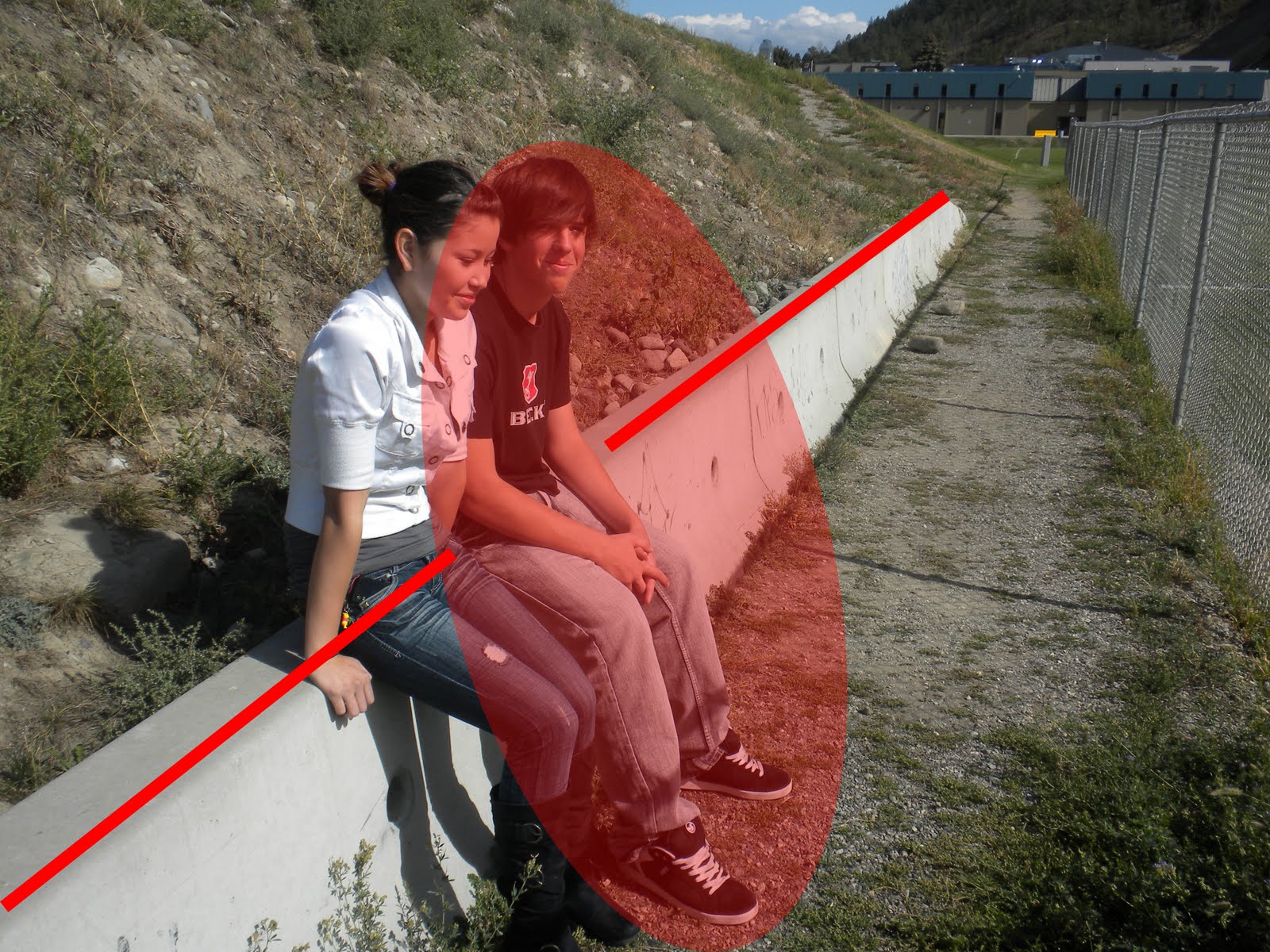
In this post we learned using dynamic lines (in red), to show the focus on someone or something specific in the photo. We emphasized the lines in the picture by putting red lines in the direction of what the photo is focused on, and then we used a faded red oval shape to show the main focus in the photo.

By: Christopher Varga Raic

Wednesday, September 15, 2010

Layers

In this assignment we learned how to emphasize something in the photo, such as the rainbow in this one... We also learned to use dodge and burn to darken the sky and make the rainbow more noticeable. After I dodged and burned it I also used the Unsharp Mask tool to make the rainbow stick out even more.

By: Christopher Varga Raic

Monday, September 13, 2010

Duotone


This was my first assignment and in it I learned how to use Duotone to make a picture look better. I also learned how to sharpen the image and adjust different picture values like color balance crop and levels.


By: Christopher Varga Raic